
Safety engineering has become a data-driven discipline.
Engineers today have access to more simulation results, more test data, and more tools than ever before. Despite this abundance, a critical challenge persists: turning data into good decisions.
As development speeds up, systems become more complex. Occupant safety teams feel pressure to deliver results quickly. We must interpret those results fast, accurately, and consistently.
This is where many workflows begin to break down. Not because we lack data, but because we understand that data in disconnected ways.
In this article, we'll explain how we can improve vehicle safety by adding safety aspects early in the CAD software phase.
The Problem: Disconnected Positioning Workflows
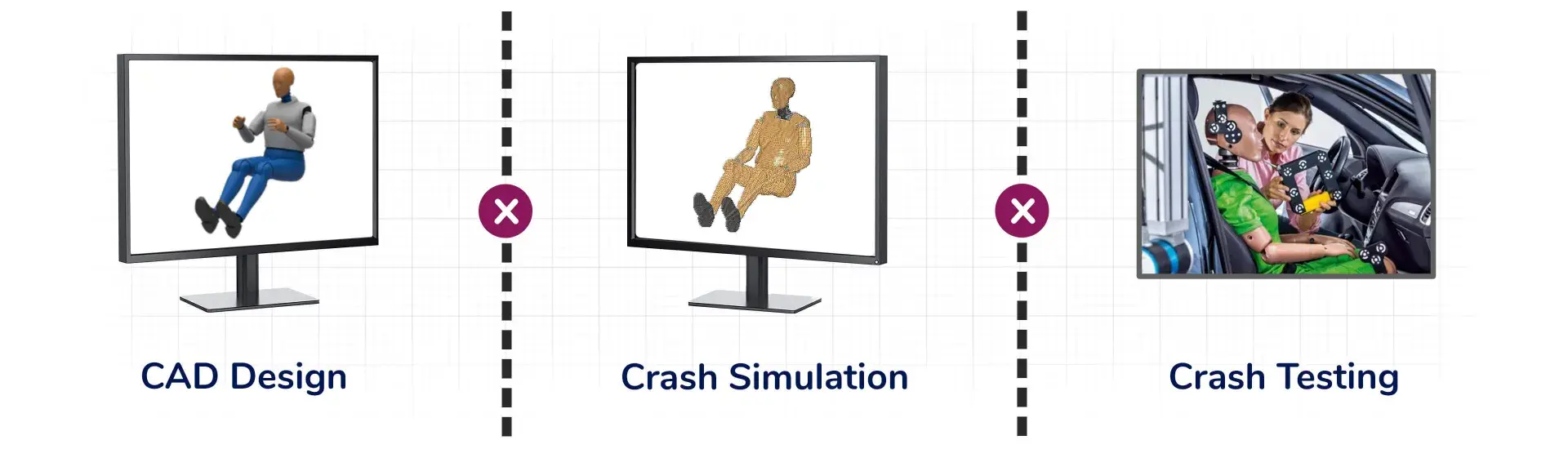
In many organizations, one of the most persistent challenges is not within a single team, but between teams.
Consider the interaction between Restraints Engineering and Safety Engineering.
Early in the design process, the restraints team sets seat belt routing and anchorage positions. This team also confirms belt fit using an ergonomic tool like RAMSIS. Their goal is to ensure comfort and proper belt positioning across a range of occupants including crash test dummies (ATDs).
Later, the safety team evaluates crash performance using computer-aided engineering (CAE) tools. They define their own belt system, position their own ATDs, and run simulations.
At this point, a disconnect can appear:
- The belt system used in simulation does not match the one defined in design
- Anchorage positions differ
- The resulting dummy positioning is inconsistent
What follows is a familiar cycle: repeated work, iterations, and back-and-forth between teams.
Disconnected systems are inefficient, inconsistent, and add a risk into the development process.
The Solution: Bringing Safety Into the CAD Stage
A connected system addresses this challenge by bringing safety aspects into the CAD software environment early.
A design-stage tool enables engineers to evaluate and optimize safety-relevant parameters early, before simulation begins.
Product development teams can save time and money by:
- Analyzing and optimizing interior layouts for ATD positioning and safety criteria
- Defining and evaluating seat belt anchorage directly in CAD
- Optimizing seat belt routing based on comfort and safety criteria (you can’t have safety without a belt that fits well)
- Automatically generating consistent ATD dummy positioning
- Preparing validated positioning and restraint configurations for downstream use
A connected system designing for safety during CAD design changes everything. Instead of reconstructing safety design intent later, you prevent doing redundant work multiple times.
Tips for Designing for Safety from the Beginning
1: Define Restraints Early
Have the Restraints team define belt routing and anchorage positions within the CAD environment. At the same time have them evaluate ATD positioning and fit.
This configuration includes the belt system definition and the positioned ATD. You can then transfer it directly into CAE environments.
Now, the Safety team no longer needs to recreate the setup.
They begin with a validated, design-consistent configuration. With a shared foundation, they can immediately run crash simulations. The results are:
- Reduced iterations
- Improved consistency between design and simulation
- Faster convergence on optimal safety solutions
Interested in More Content Like This?
Subscribe to the Humanetics Pulse newsletter to learn more about Humanetics Products, News, and Industry Updates.
2: Move From Late Validation to Early Design
The role of safety in engineering is shifting.
Validating designs only after defining them wastes time. Design moves faster if teams consider safety from the beginning.
This requires tools that operate at the right point in the process:
- Embedding safety criteria into early design decisions
- Ensuring consistency across CAD, CAE, and testing
- Enabling collaboration between teams that have traditionally worked in silos
This allows organizations to move from reactive validation to proactive design.
3: Clean Up Data Transfer
A problem often goes unnoticed. Teams are using advanced tools for design, ergonomics, and simulation.
The problem emerges at the interfaces. Data does not transfer cleanly between design and simulation. This creates additional challenges:
- Teams recreate dummy positioning
- Belt systems redefine themselves
- Teams work in parallel, but not always in alignment
Over time iteration cycles increase. Late-stage changes become more expensive. Inconsistent inputs reduce confidence in the results.
By using shared definitions for occupant/ATD position and restraint systems early in CAD, later simulations and tests stay consistent.
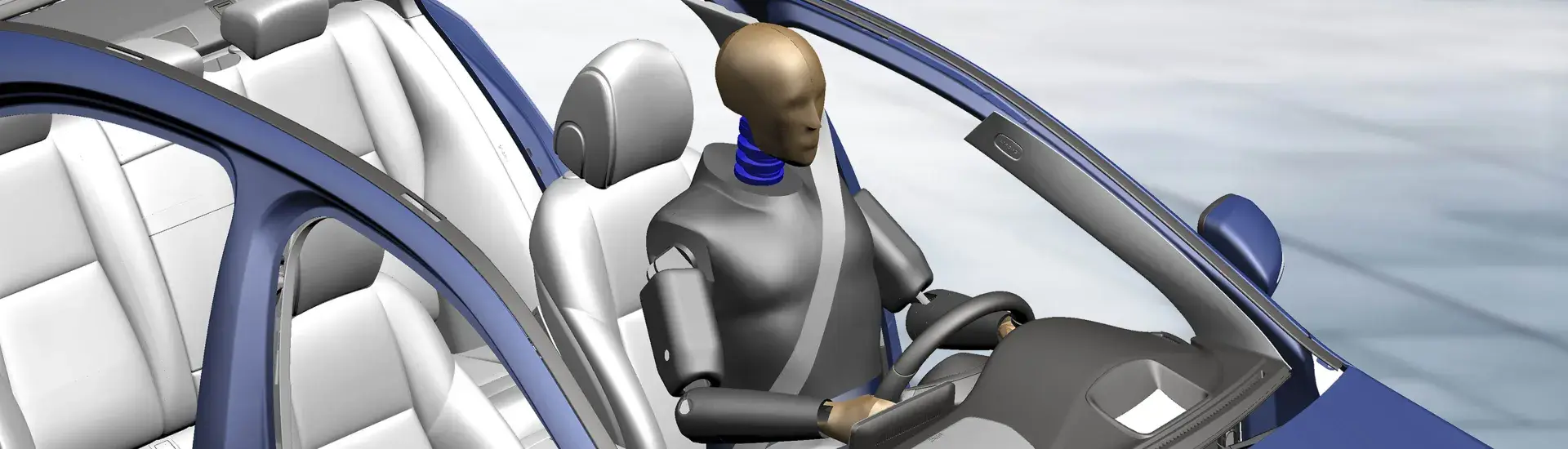
4: Use Safety Studio to Integrate Safety from the Start
Humanetics Safety Studio CAD tool can help your team avoid costly delays by:
- Embedding safety aspects into CAD, teams can make key choices early. These decisions include occupant and ATD position and belt anchorage, before changes become costly.
- Transferring dummy positions from CAD to CAE and test setups, teams stay consistent and aligned. No one has to reinterpret data.
- Bidging disciplines: when restraints and safety teams work from the same data, they reduce fragmentation and improve collaboration.
When used with downstream tools like APT Connect® and Dummy Positioning System (DPS), this workflow becomes a full closed-loop system. Data flows from design to simulation to physical testing.
Key Takeaway: Designing with Safety from the Start Improves Outcomes and Saves Money
With complexity increasing, the best occupant safety decisions will be made early.
Defining occupant/ATD position, restraint systems, and safety geometry during design directly affects everything that follows. We end up with better real world outcomes and reduced costs.
Safety Studio can help you make these decisions with clarity, consistency, and collaboration.
It turns safety from something people check later into something they design from the beginning.
In the end, the most cost-effective way to improve vehicle safety is fixing it now, not later.
Learn More
We have more resources to help you with your safety program or you can contact one of our experts.
Talk to an Expert
Contact our safety engineers to learn how we can help you design for safety from the start.
Frequently Asked Questions
What is Safety Studio?
Safety Studio is software that helps engineers plan and and design safety aspects during the CAD phase of product development. It helps engineers save time and money by finding potential problems early.
What is RAMSIS?
RAMSIS software is the global quasi-standard for ergonomic vehicle design. It is trusted by leading automotive brands and increasingly used in aerospace, shipbuilding, and other industrial applications. It allows users to access the largest global anthropometric database for accurate simulations. RAMSIS works as a standalone Windows app or integrated module for CATIA V5, Siemens NX, and 3DEXPERIENCE.
What is computer aided design?
Computer aided design / CAD is software that allows engineers and designers to design accurate prototypes virtually. These CAD tools enable designers to create 2D and 3D models that manufacturers can produce in the physical world.

Dr. Hans-Joachim Wirsching
Dr. Hans-Joachim Wirsching is a Senior Product and Project Manager for Ergonomics at Humanetics, with over 25 years of experience in developing digital ergonomic simulation applications. He specializes in integrating methods and models into the ergonomic design tool and digital human model RAMSIS, combining scientific knowledge with the practical requirements of vehicle engineers. Hans-Joachim is also an active member of the digital human modeling community, contributing conference papers and presentations that address new developments and applications of RAMSIS.